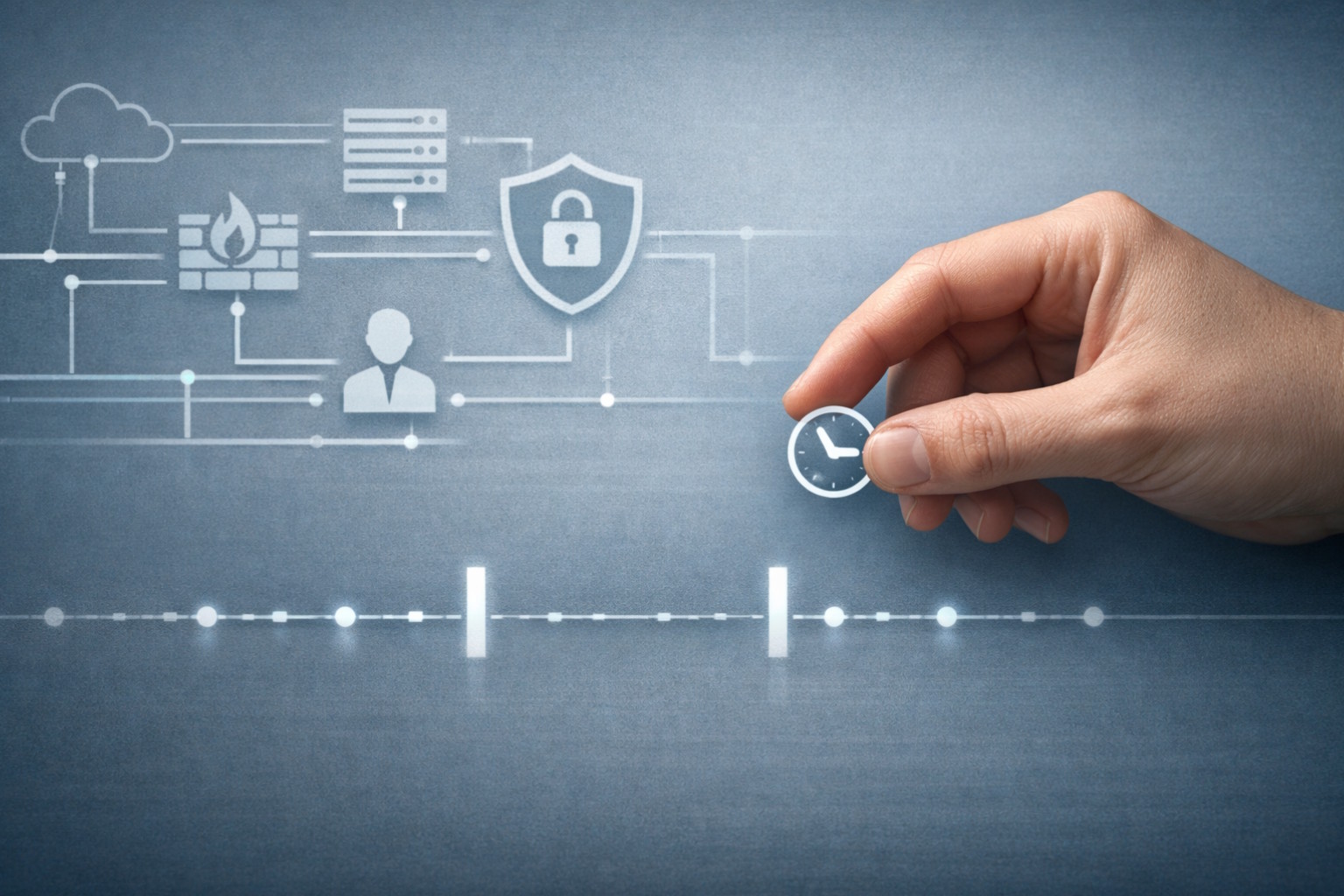
time bandits
Cybersecurity

Time Bandits in the Wild: Which Devices and Infrastructure Hackers Target—and Why Time Is the Weak Point

Quick Answer: Time bandit attacks most often target enterprise endpoints, IoT devices, OT/ICS environments, identity systems, and logging infrastructure. These environments rely heavily on accurate system time for security decisions but rarely monitor or protect time integrity directly, making clock manipulation an effective post-compromise technique.

When security researchers and federal agencies warn about so-called time travel hacking, the implication is not science fiction. The reality is more mundane—and more dangerous. Attackers deliberately manipulate clocks, timestamps, and time-dependent logic to disable defenses, evade detection, or undermine trust mechanisms.

This technique is not applied evenly across the technology landscape. Time bandits overwhelmingly target systems where time is assumed to be correct, rarely monitored, and operationally difficult to lock down. That combination exists most clearly in specific classes of infrastructure.

This article examines which devices and environments are most vulnerable, why attackers focus on them, and what makes time an unusually effective attack surface in those contexts.

Why Time Is Trusted but Rarely Protected

Time-based attacks succeed where three conditions intersect:

  • Security decisions depend on time (certificates, logs, token validity, sequencing).
  • Time synchronization is automated or implicit, not continuously verified.
  • Operational constraints discourage tight controls, monitoring, or frequent updates.

That intersection defines the most popular targets.

Which Enterprise Endpoints Are Most Vulnerable to Time Bandit Attacks?

(Enterprise Workstations and Servers)

The most common use of time manipulation occurs after initial compromise on enterprise endpoints—especially Windows systems.

Why attackers target them

  • Endpoint security tools rely on certificate validation, signature checks, and timestamped telemetry.
  • Administrative access allows attackers to:
    • Change the system clock.
    • Disable or interfere with time synchronization services.
    • Load drivers or binaries whose trust depends on temporal validation.
  • Logs and alerts become harder to correlate when time shifts occur mid-incident.

Why this surface is popular

  • Endpoint clocks are assumed to be correct.
  • Time changes are relatively rare in normal operations but not always treated as high-severity alerts.
  • Endpoint detection systems often prioritize process behavior over temporal integrity.

This makes endpoints ideal launch points for defense-evasion steps such as disabling EDR before ransomware deployment.

Why OT and ICS Environments Are Prime Targets for Time Manipulation

Operational technology is one of the most under-discussed time-based attack surfaces, despite being among the most exposed.

Why OT systems are vulnerable

Many controllers, HMIs, and gateways:

  • Depend on time for sequencing, logging, and safety interlocks.
  • Run legacy operating systems with limited security controls.
  • Synchronize time using unauthenticated or weakly protected methods.
  • Operate under slow patch cycles where uptime discourages reboots or configuration changes.

Why attackers care

Time manipulation can:

  • Obscure the timeline of physical process interference.
  • Break correlations between operational events and security alerts.
  • Undermine forensic reconstruction after incidents.

In OT environments, time distortion is less about stealthy persistence and more about hiding cause-and-effect.

Why IoT Devices Are Especially Exposed to Time Bandit Techniques

IoT is a natural habitat for time bandits.

Why IoT devices are attractive targets

Many IoT devices:

  • Lack secure real-time clocks.
  • Depend on intermittent network time updates.
  • Accept time values from untrusted sources.
  • Validate firmware, tokens, or cloud communications using time-based logic.
  • Produce minimal logs with inconsistent centralized monitoring.

Why time manipulation works here

  • Security teams often tolerate inaccurate time as “normal.”
  • Time anomalies are rarely flagged as security events.
  • Devices may fail open when time validation breaks, prioritizing availability over integrity.

For attackers, this creates a low-visibility, high-impact attack surface, particularly in large device fleets.

How Time Bandits Exploit Identity and Authentication Systems

Time plays a foundational role in identity infrastructure.

Why identity systems are sensitive to time

  • Authentication tokens expire based on time.
  • Certificates rely on validity windows.
  • Replay protections often depend on timestamp checks.

How attackers exploit this

Shifting system time can:

  • Extend token usability.
  • Cause failures in revocation checks.
  • Create authentication edge cases that favor attackers.

While modern identity platforms are increasingly resilient, on-premise identity infrastructure and hybrid environments remain exposed, especially when local clocks diverge from authoritative sources.

How Time Manipulation Undermines Logging and Incident Response

Ironically, the systems meant to detect attacks can themselves be undermined by time manipulation.

Why logging infrastructure is targeted

  • Security investigations depend on chronological accuracy.
  • Correlation engines assume timestamp consistency.
  • Time skew breaks event sequencing across systems.

What attackers gain

  • Confused timelines.
  • Reduced confidence in forensic conclusions.
  • Delayed or misdirected response efforts.

This does not require compromising the SIEM itself—only enough time distortion at key endpoints to poison the data stream.

Why Time Is an Attractive Attack Surface

Time is uniquely appealing to attackers because:

  • It is global but fragile: many systems depend on it, few defend it.
  • It is invisible when it works: teams notice time only when it breaks.
  • It is operationally sensitive: aggressive controls risk disrupting legitimate processes.
  • It compounds other attacks: time manipulation amplifies credential theft, driver abuse, and defense evasion.

In short, time is a force multiplier.

What This Means for Defenders

Time-based attacks are rarely the entry point. They are post-compromise optimization techniques. That makes them especially dangerous: by the time defenders notice, attackers are already inside.

Organizations that operate IoT fleets, OT environments, or hybrid enterprise systems should treat time integrity as a first-class security concern, alongside identity, network access, and endpoint protection.

That includes:

  • Monitoring for unexpected time changes.
  • Hardening time synchronization paths.
  • Treating temporal anomalies as security signals, not operational noise.

Closing Thought

Time bandits do not need exotic exploits. They exploit assumptions.

As infrastructure becomes more distributed, automated, and dependent on synchronized systems, time itself becomes a security boundary—one that too few organizations actively defend.

If you are securing endpoints, industrial systems, or connected devices, the question is no longer whether attackers can manipulate time. It is whether you will notice when they do.
Contact us if you would like to learn more about time-based attacks, time integrity risks, and how clock manipulation impacts modern infrastructure security.

For more technology articles like this, visit our Content Hub at Tech Scope Connect.

Read More
man infron of a laptop looking concern
Cybersecurity

When Email Gets Too Smart: How AI Is Supercharging Phishing Emails

Phishing Emails Just Got a Major Upgrade

Phishing emails aren’t what they used to be. Gone are the days of poorly written messages full of typos and obvious red flags. Today’s scam emails are slick, professional, and powered by artificial intelligence.

If you’ve been wondering why some scam emails seem more personal or harder to spot lately, you’re not alone. These modern fraud attempts are smarter and more convincing because they’re being written by AI tools that mimic human language almost perfectly. In this article, we’ll break down how AI is helping scammers level up—and what you can do to stay ahead of these digital traps.

Summary: AI is making phishing emails harder to spot by helping scammers create polished, personalized, and convincing messages that mimic real communication. Unlike older scams with obvious mistakes, today’s AI-driven phishing emails use correct grammar, realistic tone, and personal details—making awareness and caution the best defense.

Smarter, Faster, Sneakier: How AI Transformed Phishing Emails

It used to be a numbers game. Attackers would send out massive waves of generic scam emails, hoping someone would bite. But now? AI lets them fine-tune each message to feel custom-written.

These emails can reference your name, job title, and even mimic the tone your coworkers use. Some are so advanced, they can hold a conversation with you via email or text—picking up on your responses and adapting to them.

Why is this happening so quickly? Tools like ChatGPT and open-source AI models allow scammers to craft messages that sound natural, clean, and professional. No broken grammar. No suspicious formatting. Just a message that feels like it came from your boss, your bank, or your HR team.

How to Tell If a Message Is a Phishing Email (Even If It Sounds Real)

You may be thinking: If these emails are that good, how can I tell the difference anymore?

That’s the challenge. Traditional clues like spelling errors or weird URLs aren’t as common in these new, AI-written phishing emails. Instead, you need to pay attention to smaller, more subtle details.

Here’s what modern scam emails often include:

  • Polished grammar and clean formatting
  • Legit-looking email addresses and sender names
  • Personalized greetings and references to your real-life work or contacts
  • Realistic urgency, like “Please review this document before 5 PM”

Some of them even go a step further. They might reply back to your email with follow-up messages, acting like a real person. This tactic builds trust—making you more likely to click on a dangerous link or share sensitive info.

Behind the Curtain: How AI Makes Phishing More Convincing

Why are we seeing this surge in realistic scam emails? Because AI gives scammers a whole new toolkit.

Today’s phishing strategies include more than just email. Criminals now use AI to:

  • Design fake websites that look like real login pages
  • Generate realistic voice calls or deepfake videos
  • Scan your online activity to tailor attacks to you specifically

It’s not just a quick trick anymore—it’s a long game. Scammers plan their phishing campaigns to feel like regular business interactions. And with AI on their side, they can do it at scale.

What Do AI-Driven Phishing Emails Sound Like?

To understand the threat, it helps to look at the tone and structure of these messages. You won’t see sloppy subject lines or strange requests anymore. Instead, these emails sound... normal.

Examples of modern phishing email styles:

  • Conversational: “Hey Mike, did you get a chance to approve the payment?”
  • Urgent but subtle: “Your password is set to expire today. Please update it to avoid disruptions.”
  • Imitating authority: “Per legal, we need you to review this contract ASAP. Let me know once it’s done.”

These emails work because they blend into your inbox. They don’t stand out. That’s exactly the point.

How to Defend Yourself (No Tech Degree Needed)

You don’t need to be a cybersecurity expert to protect yourself from AI-generated phishing emails. You just need to slow down and stay sharp.

Here are some easy, actionable tips:

  • Pause before clicking. If anything feels unusual, take a breath before acting.
  • Look closely at the sender. A single swapped letter in an email address can be a red flag.
  • Double-check odd requests. Get confirmation by phone or direct message.
  • Keep personal data private. Don’t give up passwords or sensitive info via email.

Scammers count on you being too busy to notice something’s off. But when you slow down and verify, you take back control.

Conclusion: Phishing Emails Have Evolved—So Should Your Awareness

AI has changed the phishing game. Today’s scam emails are smooth, tailored, and alarmingly human. But while the tech behind them is powerful, your best defense is still awareness.

Train yourself—and your team—to spot the signs. Be cautious, not paranoid. Look beyond surface-level polish.

Phishing emails may be smarter, but they’re not unbeatable. The more you understand their tactics, the better you can defend against them.

Contact us if you want to learn more about how AI is shaping phishing emails and what this means for the future of digital communication.

If you enjoyed this article, you can find more technology insights on our Tech Scope Connect Content Hub.

Read More
sms scams
Cybersecurity

Unmasking the Top Five SMS Scams of 2024–2025

In 2024, consumers reported losses of $470 million from SMS-initiated scams—more than five times the 2020 total—even as the overall number of reports declined (ftc.gov). Roughly half of these reported losses can be traced to five core schemes: “wrong number” investment lures, package-tracking frauds, bank-alert phishing, SMS multifactor-authentication bypass attacks, and fake government or promotional relief offers. By preying on recipients’ trust and sense of urgency—whether through a friendly misdirected text, an unpaid delivery notice, or a too-good-to-be-true rebate—each scam convinces victims to click malicious links, divulge sensitive credentials, or authorize fraudulent transactions.

Now that we’ve established the scale and ingenuity of these SMS-based schemes—ranging from feigned delivery alerts to counterfeit relief offers—let’s examine the first and perhaps most insidious variant: the “Wrong Number” investment scam, which begins with an innocuous misdirected text and evolves into a persuasive, romance-tinged lure toward fake trading platforms (ftc.gov).

1. “Wrong Number” Investment Scams

SMS begins with a benign message (“Hey, is dinner still on for tonight?”), prompting a polite reply. Once engaged, scammers feign rapport—often with romantic undertones—then pivot to bogus investment pitches, steering victims toward fraudulent trading platforms (ftc.gov, themerrimack.com).

  • How it works: Scammers strike up a “wrong-number” chat, build trust, then “recommend” a high-return opportunity and share a link.
  • Impact: In 2024 these romance-style scams, sometimes called “pig butchering,” have netted criminals millions; one FBI-linked operation funneled over $300 million globally (nypost.com).
  • Red flags: Unexpected friendly SMS from unknown numbers; rapid intimacy or investment talk; links promising quick profits.
  • Protection: Never invest via unsolicited texts. Independently verify any opportunity, research the platform, and consult a trusted advisor before transferring funds.

Now that we’ve seen how a simple “wrong number” text can spiral into an elaborate investment scam, the next tactic trades on our reliance on shipment alerts—masking malware and credential phishing as urgent delivery notices in what’s known as package-tracking smishing.

2. Package-Tracking (“Smishing”) Scams

Texts purporting to be from USPS, FedEx, or DHL notify you of “undelivered” packages or unpaid postage and urge you to click a link to reschedule delivery (consumer.ftc.gov). The link installs malware or harvests login and payment details.

  • How it works: You click a URL to “resolve” a delivery issue. The site captures credentials or pushes malicious software.
  • Impact: FTC data show these smishing scams rank among the top sources of SMS-fraud losses (ftc.gov).
  • Red flags: Links in texts for deliveries you didn’t order; requests for personal information; misspellings or non-branded URLs.
  • Protection: Don’t click links—track shipments via official carrier websites or apps. If in doubt, call the carrier’s verified customer-service number.

While package-tracking smishing capitalizes on delivery anxieties, the next wave of SMS fraud preys on banking fears—spoofed “bank alerts” prompt you to call fake hotlines or click malicious links, then harvest your account numbers, PINs, and one-time codes.

3. Bank-Alert and Account-Verification Phishing

Fraudulent texts mimic your bank’s alerts about “suspicious transactions” and instruct you to call a provided number or click a link to “verify” your identity. The fake hotline or website then prompts for account numbers, PINs, and OTPs (thesun.ie).

  • How it works: Urgent language (“Your card was just used at…”) pressures you to act without thinking, leading to credential theft.
  • Impact: Banks worldwide report surges in SMS-phishing; Bank of Ireland shut down over 20 fake phone lines in April 2025 alone (thesun.ie).
  • Red flags: Sender numbers that don’t match your bank; requests for full account or password; links to non-bank domains.
  • Protection: Independently verify by logging into your bank’s official app or calling the number on your card—not the one in the text.

Building on these credential-harvesting schemes, attackers have shifted their focus upstream in the authentication process—exploiting the very safeguards designed to protect us. By intercepting SMS one-time passcodes or bombarding users with repeated MFA prompts until they relent (“MFA fatigue”), they bypass SMS-based multi-factor authentication altogether.

4. SMS MFA-Bypass and “MFA Fatigue” Attacks

Attackers steal or intercept one-time passcodes (OTPs) sent via SMS, or repeatedly trigger MFA prompts until victims approve them out of annoyance (“MFA fatigue”) (blog.1password.com, csa.gov.sg). Once they have your OTP, they can breach accounts, transfer funds, or reset passwords.

  • How it works: Phishing pages request your OTP, or attackers bombard you with MFA push notifications until you accept.
  • Impact: In December 2024, the FBI and CISA warned against SMS-based 2FA, citing interception risks and urging stronger alternatives like authenticator apps (blog.1password.com).
  • Red flags: Unexpected MFA prompts when you’re not logging in; texts asking “Is this you?” with a code.
  • Protection: Switch from SMS OTPs to app-based or hardware-key authenticators (e.g., Google Authenticator, YubiKey). Never share codes, even if prompted by someone claiming to be support.

With multi-factor safeguards now under attack, scammers have shifted tactics to prey on economic anxieties—posing as government agencies or major brands to promise “tariff relief” credits, tax rebates, or gift cards in exchange for personal data or payments.

5. Fake Government Relief and Promotional Offers

Scammers pose as government agencies or popular brands, offering “tariff relief” credits, tax rebates, or gift cards via SMS-linked surveys or quizzes (washingtonpost.com). The final step asks for personal data or payment to “unlock” funds.

  • How it works: A sponsored-ad or text promotes a too-good-to-be-true benefit (e.g., $750 import-tax refund) that requires filling out personal or banking details.
  • Impact: Meta removed dozens of such ads in early 2025, but losses mount as these schemes adapt with quiz-style engagements (washingtonpost.com).
  • Red flags: SMS linking to non-governmental domains; requests for Social Security, banking, or credit-card numbers; urgent deadlines.
  • Protection: Never provide sensitive information for unsolicited offers. Confirm any government program on official websites (e.g., .gov domains) and avoid sponsored-post engagements.

Stay Vigilant and Protected

By remaining aware of these five SMS-based scams—wrong-number investment lures, delivery-tracking smishing, bank-alert phishing, MFA-bypass schemes, and fake relief offers—you can dramatically reduce your exposure to fraud and identity theft. Always pause before clicking on any link or sharing personal information, verify requests through official channels, and strengthen your security with app-based or hardware authenticators wherever possible.

Take control of your inbox and your security—because the best defense against SMS scams is informed vigilance.

Contact us if you want to learn more about the latest SMS scams and digital fraud tactics.

For more technology articles like this, visit our Content Hub at Tech Scope Connect.

Read More
phishing
Cybersecurity

Mishing: How Mobile-First Phishing is Transforming Cybersecurity

For many years, cybersecurity discussions focused on email-based phishing. But as smartphones and tablets become central to both our personal and professional lives, a new threat has emerged—mishing. Coined by firms like Zimperium, “mishing” refers to a range of phishing techniques tailored specifically for mobile devices. In this article, we trace the evolution of phishing, examine the tactics behind mishing, and suggest practical steps to counter this growing threat.

A Brief History: From Email Phishing to Mobile Attacks

Phishing began in the early days of the internet, when attackers sent bulk emails pretending to be reputable institutions to steal user credentials. During the 1990s and early 2000s, these scams mainly targeted financial information and identity theft, often using poorly executed imitations of bank communications. Over time, as cybercriminals refined their methods with more sophisticated social engineering and spoofing tactics, phishing grew increasingly effective.

The rise of mobile computing has dramatically altered the landscape. As we shifted from desktops to smartphones and tablets, new vulnerabilities emerged—such as smaller screens, truncated URLs, and an inherent trust in text-based messages. These factors have spurred a transition from traditional phishing to mobile-first techniques, collectively known as mishing. This evolution highlights not only our technological progress but also the relentless adaptability of cyber threats.

Understanding Mishing: Tactics and Technical Weaknesses

Mishing attacks target mobile users through several distinct methods. Let’s look at the three main variants:

Smishing: SMS Phishing

Smishing involves sending fraudulent text messages that seem to come from trusted sources—banks, government agencies, or familiar service providers. These messages typically create a sense of urgency, urging recipients to click a link or share sensitive information. For instance, a smishing text might claim there’s an unpaid bill or an unauthorized transaction, directing the user to a fake website designed to capture login details.

Quishing: QR Code Phishing

A relatively new threat, quishing, exploits the convenience of QR codes. Cybercriminals embed malicious URLs into QR codes, which are then placed on posters, digital ads, or even in emails. When users scan these codes with their mobile devices, they’re redirected to fraudulent websites that harvest personal data or install malware—all without revealing the true destination of the QR code.

Vishing: Voice Phishing

Vishing uses phone calls rather than texts. In these attacks, fraudsters impersonate representatives from trusted organizations over the phone, often using automated systems or pre-recorded messages. The friendly, conversational tone can lower the victim’s defenses, making it easier for the attacker to obtain confidential information.

Technical Vulnerabilities of Mobile Devices

Several features unique to mobile devices make them especially susceptible to mishing:

  • Limited URL Visibility:

    Mobile browsers often display only a shortened version of a URL, making it hard to discern a link’s legitimacy. Malicious URLs can easily appear safe or mimic trusted domains.

  • Touch-Screen Interfaces:

    The reliance on quick taps instead of deliberate clicks increases the chance of accidental interaction with malicious content. Unlike desktops, mobile devices lack hover features that allow users to preview links before clicking.

  • Inherent Trust in Mobile Communications:

    People generally trust text messages and QR codes, especially when they seem to come from well-known brands or local services. This trust, combined with the sparse contextual information provided by mobile notifications, makes it easier for attackers to blend fraudulent messages into everyday communication.

  • Fragmented Security Measures:

    While desktops often enjoy multi-layered security, many mobile devices lack comprehensive protection. Users might not install dedicated mobile threat defense apps or keep their operating systems updated, leaving significant security gaps.

In Conclusion: A Call to Rethink Mobile Security

Mishing marks a fundamental shift in the threat landscape, reflecting our increasing dependence on mobile technology. As cybercriminals continue to innovate by exploiting both human behaviors and technical limitations, it is crucial for organizations and individuals alike to stay alert and proactive. Understanding the evolution from traditional phishing to these advanced mobile tactics is the first step toward developing effective, mobile-specific defenses.

We encourage readers to reevaluate their mobile security practices, invest in robust threat defense solutions, and keep pace with emerging trends. By taking proactive measures today, we can better safeguard our data and maintain operational integrity in an ever-more mobile world.

Want to dive deeper into the world of mobile-first phishing and its impact on cybersecurity? Contact us to continue the conversation and stay ahead of emerging threats.

For more technology articles like this, visit our Content Hub at Tech Scope Connect.

Read More
cyber attack image concept
Cybersecurity

Unmasking Double-Clickjacking: How This Cyber Attack Exploits Users

Every cyber attack evolves, but few are as deceptive as double-clickjacking. This insidious online threat manipulates users into unintentionally performing actions on websites, potentially exposing personal data or granting unauthorized access. As cybersecurity risks grow, businesses and individuals alike must understand how double-clickjacking operates and why it’s becoming a significant concern in 2025.

What Is Double-Clickjacking and Why Should You Care?

Double-clickjacking is a refined version of clickjacking, a cyber attack that tricks users into interacting with hidden or malicious elements on a webpage. Unlike standard clickjacking, this method requires two deliberate clicks, exploiting users’ trust and creating a false sense of security.

The implications are alarming: attackers could initiate financial transactions, change security settings, or steal sensitive data—all without the user’s awareness. With the increasing reliance on digital platforms, understanding this threat is critical to safeguarding personal and professional digital spaces.

The Mechanics of Double-Clickjacking: How Hackers Exploits Users

At its core, double-clickjacking relies on overlaying invisible elements, such as buttons or forms, onto legitimate web pages. Users are prompted to interact with these elements through misleading instructions like “Click here to verify.” The first click sets the stage, while the second completes the malicious action.

What makes this attack particularly dangerous is its subtlety. Unlike phishing emails or obvious malware, double-clickjacking blends seamlessly into everyday browsing activities, making it harder to detect and prevent.

A Growing Threat: How This Cyber Attack Is Targeting Users

Recent reports indicate a rise in sophisticated double-clickjacking campaigns targeting both individuals and organizations. This increase is tied to the growing use of interactive web applications, where clicks are integral to functionality.

As attackers refine their methods and develop more deceptive tactics, organizations must stay ahead with proactive defense strategies.

How to Protect Yourself from This Cyber Attack

Awareness and proactive measures are key to mitigating the risks of double-clickjacking. Here are some actionable steps:

  1. Enable Browser Security Features: Modern browsers offer protections against malicious scripts and overlays.
  2. Use Content Security Policies (CSPs): These can prevent attackers from embedding unauthorized elements on your site.
  3. Educate Employees and Users: Teach users to verify web interactions and avoid unfamiliar prompts.
  4. Invest in Cybersecurity Tools: Tools that detect and block clickjacking attempts can add an essential layer of protection.

By staying vigilant, you can significantly reduce your exposure to these attacks.

Staying One Step Ahead

Double-clickjacking is a rising cyber attack that thrives on deception and user trust. Its growing sophistication highlights the importance of staying informed and taking preventive measures. Whether you’re an individual or a business leader, understanding the mechanics of this threat is the first step toward stronger cybersecurity.

Contact us for more info about protecting your business from double-clickjacking and other cyber attacks.

For more technology articles like this, visit our Content Hub at Tech Scope Connect.

Read More
Cyber Threats image concept
Cybersecurity

Staying Ahead of Cyber Threats: What to Watch for in 2025

Cyber threats are evolving at a staggering pace, and 2025 is poised to introduce even more sophisticated dangers. With digital risks growing alongside technological advancements, businesses and individuals must remain vigilant. From AI-driven attacks to ransomware innovations, understanding these challenges is crucial to safeguarding data and systems.

The Rising Tide: Why Cyber Threats in 2025 Demand Attention

As technology advances, so do cybercriminals. The rise of remote work, cloud computing, and connected devices has expanded the attack surface. According to cybersecurity experts, global cybercrime damages could reach $10.5 trillion annually by 2025. This statistic underscores the urgency of staying informed and proactive. Let’s explore the top cyber threats to prepare for this year.

Unpacking the Cyber Threats of 2025

1. AI-Powered Cyber Attacks

Artificial Intelligence (AI) is transforming industries, but it’s also empowering hackers. In 2025, expect AI to be used for:

  • Phishing: AI can craft hyper-personalized emails, increasing the success rate of scams.
  • Malware Development: AI can generate undetectable malware faster than traditional methods.

Protecting against these threats requires enhanced AI-driven defense mechanisms.

2. Ransomware 2.0: A New Breed of Extortion

Ransomware isn’t new, but its tactics are evolving. In 2025, attackers are expected to focus on double extortion, where they:

  • Encrypt data, rendering it inaccessible.
  • Threaten to leak sensitive information if the ransom isn’t paid.

Businesses must prioritize robust backups and incident response plans to mitigate these risks.

3. IoT Vulnerabilities: The Weakest Link

The Internet of Things (IoT) continues to connect more devices, but many lack sufficient security. Cybercriminals can exploit:

  • Poorly protected smart devices to access networks.
  • Critical infrastructure systems, leading to widespread disruptions.

Securing IoT devices with strong authentication and regular updates is vital.

4. Geopolitical Cyber Threats: Cybersecurity in a Divided World

Global tensions are driving state-sponsored cyberattacks. These threats target:

  • Critical infrastructure, including energy grids and healthcare systems.
  • Government data and private companies involved in national interests.

Businesses and governments alike must invest in advanced threat detection and response systems.

Strengthen Your Defenses Against Cyber Threats

Staying ahead of these dangers requires a proactive approach:

  • Regular security audits.
  • Employee training on recognizing cyber risks.
  • Investment in cutting-edge security tools.

Conclusion

Cyber threats in 2025 will challenge businesses in unprecedented ways. AI, IoT vulnerabilities, ransomware, and geopolitical factors are just a few risks demanding attention. Preparing for these challenges now can mean the difference between resilience and disaster.

Contact us if you want to learn more about protecting your business from emerging cyber threats.

For more technology articles like this, visit our Content Hub at Tech Scope Connect.

Read More
cybersecurity resolutions concept image
Cybersecurity

Start the Year Right: Cybersecurity Resolutions for 2025

Cybersecurity resolutions are a must-have for 2025. With threats evolving faster than ever, it’s crucial to protect sensitive data and digital assets. From ransomware attacks to phishing schemes, the risks are growing—and so are the potential consequences. As we welcome a new year, it’s the perfect time to evaluate your cybersecurity practices and make meaningful improvements. Think of these resolutions as your roadmap to a safer and more secure digital environment.

Top Cybersecurity Resolutions to Make in 2025

Making cybersecurity resolutions can help you and your organization stay ahead of potential threats. Here are key resolutions to consider:

  • Regular Security Audits: Commit to conducting quarterly audits to identify vulnerabilities and address them promptly.
  • Software Updates: Ensure all software, including operating systems and applications, is updated regularly to patch security flaws.
  • Network Security Enhancements: Invest in firewalls, VPNs, and advanced threat protection tools to secure your network.
  • Personal Accountability: Encourage everyone in your organization to adopt safe online practices, such as avoiding suspicious links and safeguarding devices.

These resolutions can make a significant difference in strengthening your cybersecurity posture.

Secure Your Password Game

Weak passwords remain a top vulnerability for organizations and individuals alike. For 2025, resolve to strengthen your password strategy:

  • Use a password manager to create and store complex, unique passwords for each account.
  • Enable multi-factor authentication (MFA) wherever possible for an added layer of protection.
  • Regularly update passwords and avoid reusing them across platforms.

A recent study shows that 81% of hacking-related breaches involve weak or stolen passwords. Don’t let yours be one of them.

Stay Ahead with Cybersecurity Training

Human error is a leading cause of security breaches. Invest in cybersecurity training to empower your team and minimize risks. For instance:

  • Conduct phishing simulations to raise awareness about suspicious emails.
  • Provide regular updates on emerging threats.
  • Foster a culture of digital responsibility in your organization.

Training isn’t just for IT teams; everyone in your organization plays a role in protecting sensitive data.

Adopt Emerging Technologies

2025 is set to be a pivotal year for cybersecurity innovations. Emerging technologies like AI-driven threat detection and zero-trust frameworks are game-changers. Consider implementing:

  • Endpoint detection and response (EDR) tools to monitor devices.
  • Zero-trust network access (ZTNA) to limit unauthorized access.
  • AI algorithms that can detect anomalies and prevent breaches proactively.

Prioritize Data Backups and Recovery Plans

Ransomware attacks are on the rise, making data backups a critical component of your resolutions. To ensure your organization’s resilience:

  • Schedule regular, automated backups.
  • Store backups offline or in secure cloud environments.
  • Test your recovery process to verify data integrity and accessibility.

A solid backup plan can save your business from costly downtime and data loss.

Conclusion

Cybersecurity resolutions aren’t just about protecting data; they’re about future-proofing your digital operations. By focusing on password security, employee training, emerging technologies, and data recovery, you can set the foundation for a safer 2025. Start the year right with these actionable steps.

Contact us if you want to learn more about creating a robust cybersecurity strategy tailored to your needs.

For more technology articles like this, visit our Content Hub at Tech Scope Connect.

Read More
12 days of christmas image concept
Cybersecurity

The Twelve Days of Cyber Threats

On the first day of Christmas, my hacker sent to me:

  • A phishing scam in a pear tree.

On the second day of Christmas, my hacker sent to me:

  • Two malware links,
  • And a phishing scam in a pear tree.

On the third day of Christmas, my hacker sent to me:

  • Three fake invoices,
  • Two malware links,
  • And a phishing scam in a pear tree.

On the fourth day of Christmas, my hacker sent to me:

  • Four smishing texts,
  • Three fake invoices,
  • Two malware links,
  • And a phishing scam in a pear tree.

On the fifth day of Christmas, my hacker sent to me:

  • Five breached accounts!
  • Four smishing texts,
  • Three fake invoices,
  • Two malware links,
  • And a phishing scam in a pear tree.

On the sixth day of Christmas, my hacker sent to me:

  • Six ransomware notes,
  • Five breached accounts!
  • Four smishing texts,
  • Three fake invoices,
  • Two malware links,
  • And a phishing scam in a pear tree.

On the seventh day of Christmas, my hacker sent to me:

  • Seven spoofed domains,
  • Six ransomware notes,
  • Five breached accounts!
  • Four smishing texts,
  • Three fake invoices,
  • Two malware links,
  • And a phishing scam in a pear tree.

On the eighth day of Christmas, my hacker sent to me:

  • Eight botnets crawling,
  • Seven spoofed domains,
  • Six ransomware notes,
  • Five breached accounts!
  • Four smishing texts,
  • Three fake invoices,
  • Two malware links,
  • And a phishing scam in a pear tree.

On the ninth day of Christmas, my hacker sent to me:

  • Nine trojans lurking,
  • Eight botnets crawling,
  • Seven spoofed domains,
  • Six ransomware notes,
  • Five breached accounts!
  • Four smishing texts,
  • Three fake invoices,
  • Two malware links,
  • And a phishing scam in a pear tree.

On the tenth day of Christmas, my hacker sent to me:

  • Ten firewalls failing,
  • Nine trojans lurking,
  • Eight botnets crawling,
  • Seven spoofed domains,
  • Six ransomware notes,
  • Five breached accounts!
  • Four smishing texts,
  • Three fake invoices,
  • Two malware links,
  • And a phishing scam in a pear tree.

On the eleventh day of Christmas, my hacker sent to me:

  • Eleven scams unfolding,
  • Ten firewalls failing,
  • Nine trojans lurking,
  • Eight botnets crawling,
  • Seven spoofed domains,
  • Six ransomware notes,
  • Five breached accounts!
  • Four smishing texts,
  • Three fake invoices,
  • Two malware links,
  • And a phishing scam in a pear tree.

On the twelfth day of Christmas, my hacker sent to me:

  • Twelve passwords stolen,
  • Eleven scams unfolding,
  • Ten firewalls failing,
  • Nine trojans lurking,
  • Eight botnets crawling,
  • Seven spoofed domains,
  • Six ransomware notes,
  • Five breached accounts!
  • Four smishing texts,
  • Three fake invoices,
  • Two malware links,
  •  And a phishing scam in a pear tree.

Read More
phishing scams
Cybersecurity

‘Tis the Season for Phishing Scams

Phishing scams are on the rise this holiday season, targeting online shoppers with fake offers and fraudulent emails. Cybercriminals exploit the festive rush, preying on busy individuals who let their guard down. These scams, disguised as legitimate communications, lure victims into sharing personal or financial information. With the holiday shopping frenzy in full swing, understanding how to spot these threats is critical.

What Are Phishing Scams?

Phishing scams are fraudulent attempts to steal sensitive information by pretending to be trustworthy entities. They often mimic well-known companies, using email, text, or fake websites to trick recipients. Popular tactics include fake order confirmations, “urgent” account updates, or exclusive holiday deals. During the holidays, scams targeting gift card purchases and charitable donations are particularly common.

Why the Holidays Are Prime Time for Scammers

The holiday season creates the perfect storm for cybercriminals. Increased online shopping, generous gifting, and charitable giving provide ample opportunities for scams. Fraudulent emails are often time-sensitive, using urgency to bypass critical thinking and prompt hasty clicks.

Examples of Holiday-Themed Phishing Scams

Cybercriminals craft their schemes to align with holiday activities, making their phishing attempts more convincing. Here are some common examples of holiday-themed phishing scams to watch out for:

  • Fake Gift Card Offers: Gift cards are popular presents, but scammers use them to deceive unsuspecting shoppers. You may receive emails claiming you’ve won a gift card or offering significant discounts on popular brands. Clicking on these links can lead to fake websites designed to steal your personal information or install malware.
  • Fraudulent Charity Appeals: The holiday season is a time for giving, and scammers exploit this generosity. Fake charity emails or websites ask for donations, often using emotional stories to prompt immediate action. Always verify the legitimacy of charities through official platforms before donating.
  • Bogus Order Confirmation Emails: During the busy holiday shopping period, it’s easy to lose track of orders. Scammers take advantage of this by sending fake order confirmations or shipping updates. These emails often include links that redirect to malicious websites where personal information is harvested.
  • Holiday-Themed E-Cards: E-cards are a fun way to spread holiday cheer, but some can be traps. Scammers use these digital greetings to deliver malicious links or attachments that infect your device with malware.
  • Too-Good-To-Be-True Sales: Deals promising 90% off popular items are designed to lure bargain hunters. These emails often direct you to counterfeit websites that look authentic but steal payment details when you attempt to purchase.

By recognizing these examples, you can better safeguard your personal and financial information. If an offer or message seems suspicious, trust your instincts and investigate further.

Protect Yourself: Tips to Stay Safe

  1. Verify Sender Information: Always double-check email addresses and URLs before clicking on links. Scammers often use slight variations of legitimate addresses.
  2. Avoid Clicking Links in Emails: If a deal or message seems too good to be true, go directly to the retailer’s website instead of clicking links.
  3. Use Multi-Factor Authentication: Add an extra layer of security to your online accounts.
  4. Report Suspicious Messages: Forward phishing emails to the Anti-Phishing Working Group (APWG) at [email protected].

Stay Vigilant This Holiday Season

Phishing scams thrive on the chaos of the holiday season, but with awareness and proactive measures, you can avoid falling victim. Always think twice before clicking on a link or sharing personal details. Protect yourself and your loved ones by staying informed and cautious during this festive time.

Contact us to learn more tips for keeping yourself safe from phishing scams this holiday season.

For more technology articles like this, visit our Content Hub at Tech Scope Connect.

Read More
IoT Vulnerabilities
Cybersecurity

Understanding IoT Vulnerabilities: What Every Consumer Should Know

As holiday shopping kicks into high gear, many consumers are considering smart devices as gifts or upgrades for their homes. From connected lighting systems to video doorbells and voice-controlled speakers, Internet of Things (IoT) devices offer convenience and a touch of innovation. But with this increasing connectivity comes a hidden risk—IoT vulnerabilities. Security experts are uncovering critical flaws in popular consumer devices that could expose personal information, allow unauthorized access, and compromise privacy. As smart devices become more popular, it’s essential to stay informed about these risks when purchasing new tech this season.

Understanding IoT Vulnerabilities in Consumer Devices

IoT vulnerabilities refer to security weaknesses in internet-connected devices that hackers could exploit. Unlike traditional computers and smartphones, many IoT devices were not initially designed with robust cybersecurity protocols, making them attractive targets for cybercriminals.

A recent Netgear report highlighted that a typical home network faces 10 attacks per day on average. Despite this, over 80% are confident that their network is safe from external threats, and 30% of consumers think attacks on home networks are uncommon. This lack of awareness can make users susceptible to privacy invasions, data theft, and even physical security risks.

For example, vulnerabilities in consumer devices like security cameras, thermostats, and even household lighting systems can allow hackers to control them remotely. When purchasing IoT devices, understanding the security features and updates available is essential to keep these smart tools truly safe and smart.

Recent Examples of IoT Security Breaches

Philips Smart Lighting: Discovered a vulnerability allowing hackers to control the lighting system remotely, potentially using it to access broader network data (The Cyber Express).

Sonos Smart Speakers: Exposed at Black Hat 2024 for vulnerabilities that could let attackers intercept user data or hijack home networks (Security Info Watch).

Eken Video Doorbell: Found to have a “spy camera” vulnerability, allowing unauthorized access to video feeds (The Sun).

These issues, though addressed by security patches, emphasize the need for vigilance as hackers continue finding new ways to exploit IoT devices. Keeping devices updated and reviewing security features is key to protection.

How IoT Vulnerabilities Could Impact You

The consequences of an IoT vulnerability vary but can include serious privacy and security risks. A compromised video doorbell could allow unauthorized surveillance, while a smart thermostat breach might enable hackers to track when you’re home or away. More critically, if IoT devices share a network, a compromised smart speaker or lighting system could give intruders access to other devices like computers, security cameras, or storage drives.

In addition, IoT vulnerabilities can affect device performance. Sometimes, hackers use hijacked devices for large-scale attacks on other networks, which can drain your internet bandwidth and slow your entire network.

Buyer Beware: Tips for Choosing Secure IoT Devices

When purchasing IoT devices, consider taking extra precautions to ensure the security of your home network and personal data. Here are some practical steps to reduce risks:

  1. Research Security Features: Look into the device’s security protocols. Some brands are proactive with regular security updates, while others may not be.
  2. Set Strong Passwords: Many IoT devices come with default passwords, which are often weak. Change these immediately and choose complex, unique passwords.
  3. Keep Software Updated: Ensure that all devices receive regular updates. Manufacturers frequently release patches for newly discovered vulnerabilities.
  4. Isolate IoT Devices on a Separate Network: If possible, create a separate Wi-Fi network for your IoT devices. This measure can prevent a compromised device from giving access to more sensitive devices on your network.

Staying Secure: Smart Choices to Address IoT Vulnerabilities

As the smart home industry grows, so do IoT vulnerabilities. By staying aware of the security risks associated with internet-connected devices and taking basic steps to protect your network, you can enjoy the convenience of IoT without sacrificing your privacy and safety. Contact us if you want to learn more about safeguarding your connected home devices from IoT vulnerabilities.

For more technology articles like this, visit our Content Hub at Tech Scope Connect.

Read More